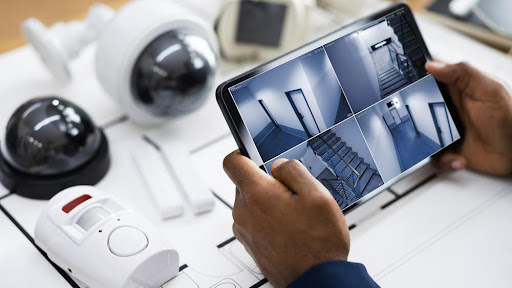
Hotels and resorts have only one promise. Keep guests safe with a seamless experience. Getting there begins with wise planning and impeccable security camera system installation. Here’s a concise, hotel-ready checklist you can use to plan, implement, and maintain a surveillance system that really works.
1) Map actual risks before you hang a single camera
Walk the property as a guest and as a trespasser would. Prioritize these areas: entrances and exits, lobby and reception, cash points at front desk, elevators and staircases, corridors and fire escapes, valet and parking lots, back-of-house corridors, loading bays, liquor storage rooms, server rooms, pool and spa facility, kids’ areas, and event space areas. Observe lighting levels and natural light directions so you can design for night vision and wide dynamic range where it is necessary. Hotels and resorts are popular deployment situations for pro installers, so use that playbook instead of having to start from scratch.
2) Choose camera types that fit each space
Consider it this way. Domes in lobbies and corridors for covert coverage. Bullets on perimeters and parking since they deter and travel long distances. PTZ is where you require wide sweeps of pools, lawns, or vast driveways. Varifocal lenses assist in getting the framing spot on around reception or entry points. Include IR night vision and WDR where the lighting is not even. This is how a hotel makes or breaks image quality.
3) Plan the network for uptime
Opt for PoE for reliability and neat cabling. Overspec your switches for maximum power load plus headroom. Insulate camera traffic with VLANs. Employ shielded cabling outside and consider fiber uplinks between towers or buildings. Wi-Fi cameras may assist in historic areas or impossible-to-wire locations, but put them on robust enterprise APs with good channel planning. If elevators are to be covered, design a wireless bridge or slip ring solution supported by your lift vendor.
4) Secure storage, retention, and evidence quality
Work back from risk and policy. For most hotels, 30 to 90 days of retention is optimal. Compute storage with your actual resolution, frame rate, and motion profile. Employ NVRs or a centralized server with RAID. Store recordings on premises for speed, then redundantly mirror critical footage to secure off-site or cloud storage for resiliency. Test back-playback on an actual incident timeline, not a five-minute clip.
5) Utilize analytics to reduce false alarms
Motion-only alerts overwhelm teams. Leverage smart rules that are meaningful to hospitality: human detection after hours near pools, line crossing at staff-only doors, loitering near back doors, and vehicle analytics for parking. If your property experiences high-volume guest arrivals, look at tools that accelerate searches by person or vehicle characteristics. Deploy analytics where they create value, not everywhere.
6) Make it part of your broader safety stack
Tie cameras into access control and fire alarm panels so alarms trigger corresponding live views automatically. Link the VMS to reception or the control room for instant verification. Centralize monitoring if you have several sites, and add cloud or mobile access for managers who roam between properties. Remote viewing and centralized systems are standard requests in contemporary hospitality rollouts.
7) Develop a clean operations plan
Create a camera map with names that correspond to actual locations. Record user roles and permissions. Author rapid SOPs: exporting evidence, who to call security, and management. Run daily health checks for camera online status and recording, and weekly spot checks for image quality and focus. Have spare power supplies, a few tested cameras, and labeled patch cords handy.
8) Lock down the system like an IT asset
Change default passwords. Enforce unique admin accounts. Keep firmware current on cameras, NVRs, and switches. Lock down remote access with VPN and MFA. Put cameras on a dedicated VLAN and restrict outbound traffic. Back up your VMS config and retention policies. Treat the system like any other critical business platform.
9) Train staff and test like it is real
Run brief, targeted training for front desk, security, and duty managers. Conduct quarterly drills of a routine event: lost child in the pool area, argument at reception, vehicle collision in the driveway. Time it from the moment of notification to discovering and exporting the correct clip. Refine the steps so anyone who is on shift can perform them quickly.
10) Schedule maintenance and AMC day one
Cameras misalign, IR windows fog up, and storage overflows. Schedule maintenance. Clean lenses, test focus, verify night scenes, ensure time sync, and audit alert rules. A routine AMC prevents system illness and leaves your staff to concentrate on guests. Hotels and resorts frequently combine AMC with centralized monitoring, so problems arise before they become outages.
Quick pre-install checklist you can copy
- Property risk map completed and signed off
- Camera list, including lens type, bracket, and precise mounting height
- Switch power budget and uplink plan agreed
- Storage, retention, and privacy policy agreed
- VMS users and roles established
- Integration points tested with access control and fire alarms
- Incident export SOP documented and trained
- AMC schedule and escalation contacts in place
The proper security camera system installation does more than just record video. It decreases response times, minimizes conflicts, and safeguards your brand when you need it most. If you prefer a partner familiar with hospitality spaces and capable of providing planning, deployment, mobile viewing, centralized monitoring, and hassle-free AMC services, speak with PC ZONES IT SERVICES PVT. LTD.
They do security camera system installation for resorts and hotels with other larger-scale surveillance and monitoring solutions, and they understand how to have the system functioning for your staff on day one.