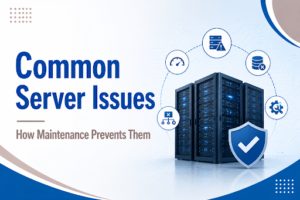
Servers are the lifeline of every business. Right from the management of emails and applications to the storage of confidential information, servers are responsible for ensuring that everything is running in a smooth manner. But even when the systems are perfectly set up, technical issues can arise. It is here that proactive maintenance and organized support from IT AMC Services become essential.
Understanding common server problems and knowing how to address them can save time, reduce downtime, and protect valuable business data.
1. Server Downtime and Unexpected Crashes
One of the most common server problems is sudden downtime. This may occur because of hardware failure, overheating, power outages, or software incompatibility.
Troubleshooting methods:
- Analyze server logs for the first reaction
- Inspect hardware components such as RAM, hard drives, and power supply units.
- Ensure the server has proper ventilation and cooling
- Check that operating system patches and firmware updates are up to date
Running diagnostics and maintenance can help system administrators identify and resolve issues quickly before the problem escalates.
2. Slow Server Performance
A slow server can impact productivity. Performance problems are common due to high CPU usage, low memory, disk saturation, or poorly optimized applications.
To overcome performance problems:
- Keep track of CPU, RAM, and disk utilization.
- Uninstall unnecessary applications or background processes.
- Upgrade resources if necessary.
- Optimize databases and remove temporary files.
- Verify the presence of malware or malicious processes.
Scheduled maintenance and health checks, often provided in professional IT AMC Services, can help businesses identify and correct performance problems at an early stage.
3. Network Connectivity Problems
Issues related to network connectivity might be a reason why users cannot access server resources. Common causes include faulty switches, incorrect IP configurations, DNS errors, or firewall misconfigurations.
Basic troubleshooting steps include:
- Turn off and on again the routers and switches
- Check that IP settings and DNS are properly configured
- Testing cables and hardware connections.
- Security and firewall rules should be checked
Maintaining updated network documentation makes diagnosing connectivity problems much easier.
4. Data Loss and Backup Failures
Data loss issue is undoubtedly one of the most severe troubles that servers can face. It might be due to various reasons, such as accidentally deleting the data, ransomware encrypting the data, a hard disk crash, or a failed backup.
To safeguard against data-related incidents:
- Schedule automatic backups.
- Test backup restoration regularly.
- Store backup copies in secure off-site or cloud locations.
- Implement access control policies to limit unauthorized changes.
Routine backup verification ensures that data can be restored quickly during emergencies.
5. Security Vulnerabilities and Cyber Threats
Servers are always under attack from hackers. Weak passwords, obsolete systems, and unpatched security loopholes will only make it easier for a successful break-in.
The following are some measures that one should take to minimize these risks:
- Apply security patches and updates without delay
- Enforce the use of strong passwords combined with multi-factor authentication
- Deploy firewalls together with antivirus softwares
- Performing periodic security audits
By regularly checking the server for signs of intrusion and performing scheduled maintenance, organizations can significantly reduce the risk of becoming a victim of cybercrime, while also fulfilling the requirements for data protection standards.
6. Hardware Failures
With time, the hardware components of the server may fail. This is especially true for hard drives, power supplies, and cooling systems.
Some of the signs that hardware is failing include strange noises, overheating, and system crashes. Regular hardware checks and replacement can help prevent business disruptions.
Building Resilient Server Environments
Preventing server issues is always more cost-effective than fixing them after a breakdown. Businesses can have stable IT environments if they incorporate consistent monitoring, timely updates, checked backups, and scheduled maintenance plans in their operations.
Our experience at PC Zone IT Services has shown that server failures and operational disruptions are reduced when there is constant monitoring, upgrades, and maintenance schedules are well planned. IT AMC Services used in conjunction with server maintenance services, network security solutions, cloud backup services, and managed IT support provide businesses with the long-term reliability and peace of mind that comes from a solid IT infrastructure.
Organizations can strengthen their IT infrastructure and run smoothly without experiencing downtimes if they learn about the most frequent server issues and systematically solve them.